



Article
How to Build a Customer Service Knowledge Base That Actually Gets Used
Most support teams have tried to build a customer service knowledge base at some point. Fewer have one their agents actually use.
The reasons are predictable: articles are written in a sprint and never updated, search doesn't surface the right content, and agents quickly learn that checking the knowledge base takes longer than asking a colleague. The result is a repository of information that looked complete at launch and quietly became a liability.
This guide to building a customer service knowledge base covers what actually works from structure and software to content standards and the feedback loops that keep everything up-to-date. We also look at how Simply Contact integrates knowledge management into its support operations, and what that means for clients who want results without running a content team alongside their product team.
Key takeaways
- A customer service knowledge base is a centralized repository of information that serves both customers seeking self-service and agents who need answers fast.
- Customers want to solve their problems without contacting support, a well-structured self-service knowledge base lets them do exactly that.
- Knowledge bases fail when content goes stale, search is poor, and nobody owns the maintenance. Structure and process matter as much as content.
- Effective knowledge management requires the right software, clear categories and subcategories, and a feedback loop that keeps articles based on real customer issues.
- Simply Contact builds and maintains knowledge bases as part of its managed support operations, so clients inherit working infrastructure.
What is a customer service knowledge base?
A customer service knowledge base is a centralized repository of information designed to assist customers and support agents in resolving issues quickly and consistently. It stores everything a support team needs to answer questions accurately: troubleshooting guides, policy documentation, product FAQs, escalation procedures, and step-by-step instructions for common issues. There are two primary forms, and effective customer service operations typically need both:
| Type | Who it serves | What it contains |
| Internal knowledge base | Support agents | Procedures, scripts, escalation paths, internal policies |
| Self-service knowledge base | Customers | FAQs, how-to guides, troubleshooting, account help |
The internal knowledge base is what agents can quickly reference during a live interaction. The self-service knowledge base is what allows customers to find answers independently, without contacting support at all.
That second function matters more than most teams give it credit for. Research consistently finds that a majority of customers prefer self-service options over contacting a human agent when the option is genuinely useful. The operative phrase is "genuinely useful," a self-service knowledge base that's hard to navigate or returns outdated information that doesn't deflect tickets. It creates frustrated customers who then call anyway.
Why knowledge bases fail: the problems worth solving first
Before getting into how to build one, it's worth being honest about what goes wrong.
- Content that doesn't remain accurate. A knowledge base article written when your product had three pricing tiers becomes actively harmful after a fourth is added. Support agents catch these errors fast. Once they do, they stop trusting the base and that trust is hard to rebuild.
- No categories and subcategories users can navigate. A flat, unsorted list of 150 articles has the same problem as a desk covered in papers. Technically everything is there. Practically nothing is findable. Users need a structure designed around how they think about their problem.
- Jargon that doesn't match how customers search. A knowledge base article titled "Account Authentication Failure, Error Code 403" won't help the customer searching "I can't log in." Effective self-service requires language tailored to their needs.
- No feedback loop. Support teams generate constant signal about what's missing, outdated, or confusing in their knowledge base. Without a process to capture that signal and route it back into content updates, the base drifts further from reality with every passing month.
- Software that isn't interconnected with the helpdesk. Agents won't use a knowledge base that requires leaving their ticketing system. The moment it becomes a separate tab, usage drops. Knowledge base software needs to interconnect with the tools agents already live in.
Iryna Shevelova, expert in networking culture and the founder of Collabro, with extensive experience in systematization, evaluation, and service quality improvement, adds that:
"Knowledge bases are often built with good intent, but rarely operationalized in a way that makes them reliable in day-to-day work. What stands out is the emphasis on trust and usability over completeness. Once support team members lose trust, adoption drops quickly and rebuilding that trust is significantly harder than creating it.
In most teams, this is the point where support folks default back to Slack or peers, and the knowledge base becomes irrelevant. The real differentiator is how well your knowledge base is operationalized."
How to build a customer service knowledge base
Your support team fields the same 30 questions on repeat. A customer can't log in. Someone wants a refund. A shipment is delayed. These are the bulk of what customer support handles every day. A customer service knowledge base exists to make answering those questions fast, consistent, and scalable, whether that answer comes from an agent or from the customer themselves.
Done well, a knowledge base is a centralized hub that cuts resolution time, reduces escalations, and gives customers the self-service options they actually prefer. Done poorly, or built once and never maintained, it becomes a source of outdated information that agents learn to distrust within weeks.
Step 1: Start with your tickets
The fastest path to a useful knowledge base is building it around the questions your customers are already asking.
Pull 90 days of support tickets and group them by topic. In most customer support environments, 15–20 categories account for 70–80% of volume. Those categories tell you exactly what to write first. Everything else can wait for version two.
Within those categories, look specifically for:
- High-volume, simple questions: these belong in the self-service knowledge base immediately. Customers want to solve these themselves; let them.
- High-volume, complex questions: these become detailed internal procedures for agents. The complexity is exactly why agents need a reliable reference.
- Escalation patterns: wherever frontline agents consistently escalate, there's a knowledge gap. Fill it.
- New agent errors: mistakes that cluster in the first 60 days of employment usually mean existing documentation is missing, buried, or confusing.
Customer feedback, from post-interaction surveys, CSAT comments, and ticket notes, is equally useful. Customers who say "I couldn't find the answer on your website" are telling you where the self-service knowledge base is failing. Use analytics to identify which help center searches return no results. Those are articles that don't exist yet.
Step 2: Build a structure that lets users navigate without thinking
A good structure for a customer support knowledge base makes the next step obvious at every level. Users shouldn't have to decide where to look, the categories and subcategories should guide them there. A workable top-level structure:
| Category | What it covers |
| Account and billing | Payments, refunds, plan changes, login issues |
| Product and features | How it works, setup guides, known issues |
| Policies | Returns, cancellations, SLAs, terms |
| Troubleshooting | Step-by-step fixes for common issues |
| Getting started | Onboarding, first-use guides, FAQs |
| Contact and escalation | When and how to reach a human agent |
Internally, agents need additional layers: escalation matrices, channel-specific scripts, compliance guidance, and onboarding paths for new customer service agents joining the team.
The guiding principle is that structure should reflect how users think about their problem. A customer with a billing question doesn't know whether billing sits under "Finance" or "Accounts." They know they have a billing question.
Step 3: Write knowledge base articles that help
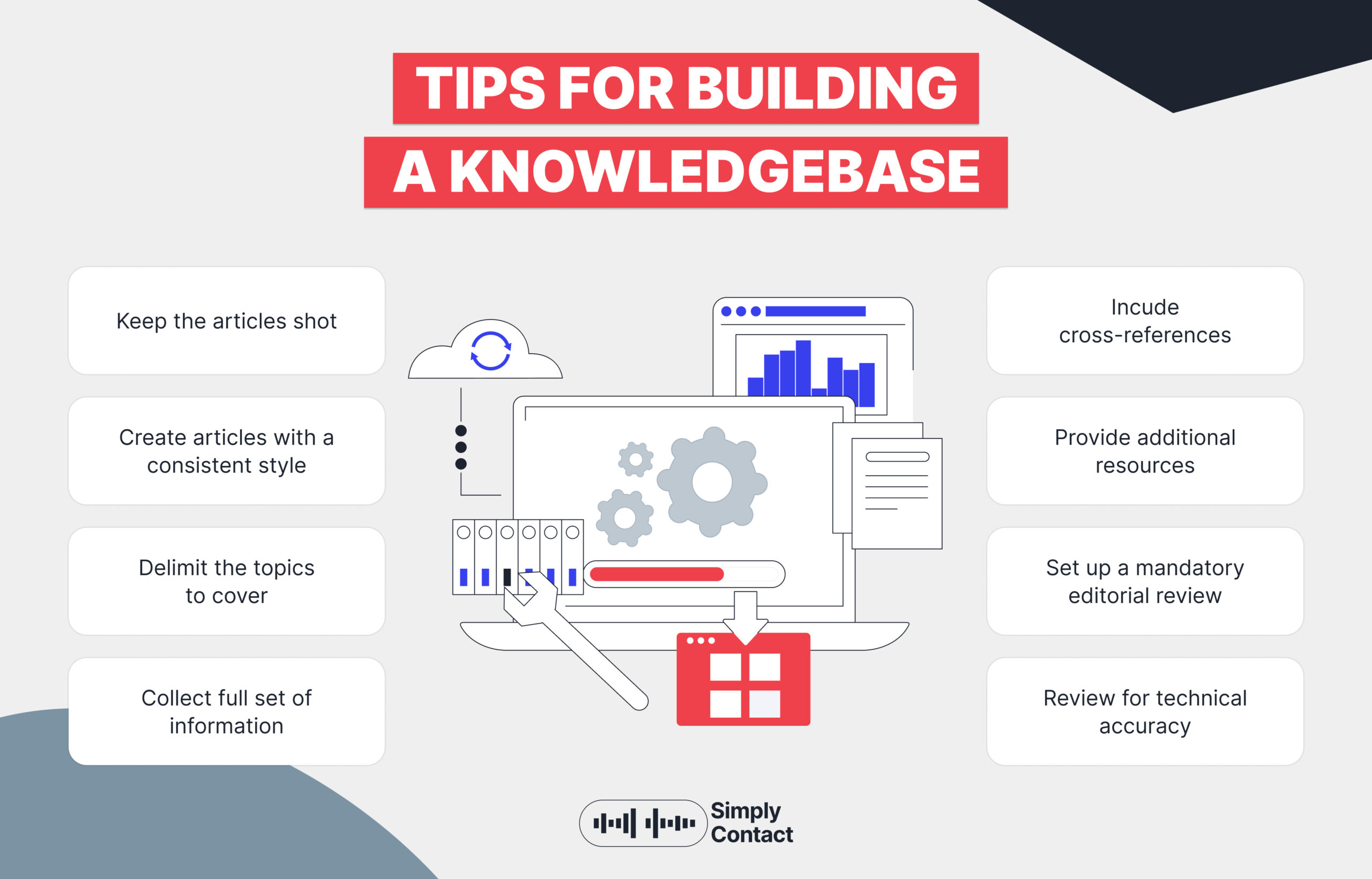
A knowledge base article is not a blog post. It doesn't need an introduction, context, or persuasion. It needs the answer, delivered as fast as possible. Format rules that work in a real support environment:
- Lead with the answer. Put the solution in the first two sentences. Everything else is supporting detail.
- Use numbered steps for any procedure. Numbered, not bulleted, order matters when someone is following steps in real time.
- Write in plain language. Avoid jargon when writing for customers. A knowledge base serves users to find answers, and jargon creates friction between the question and the resolution.
- Use a consistent template. Every article should follow the same structure: summary, steps or answer, exceptions, related articles. Agents can quickly scan a familiar format.
- One topic per article. Don't combine "how to process a refund" with "how to dispute a charge." They're separate problems with separate procedures.
- Keep it up-to-date. An article that was accurate six months ago may actively mislead an agent or customer today. Currency is what makes the knowledge base trustworthy.
Step 4: Choose knowledge base software your team will use
The best customer service knowledge base software is the one agents open without thinking. If using it requires a deliberate decision to switch context, most agents will skip it under pressure. Key criteria when evaluating options:
| Criteria | Why it matters |
| Integration with your help desk | Agents need answers inside their workflow |
| Search quality | Must handle natural language |
| Analytics | Which articles are used? Where do searches fail? What drives escalations? |
| Permissions and access controls | Internal content and customer-facing content need separate access |
| Version control | Who changed what, and when? Can you roll back a bad edit? |
| User-friendly editor | Content owners need to update articles without technical help |
Zendesk Guide is a strong option for teams already on Zendesk, the interconnected experience between tickets and knowledge base articles is genuinely useful. For teams that need more flexibility, Guru, Confluence, and Intercom Articles are all worth evaluating.
AI is increasingly built into knowledge base software, surfacing relevant articles automatically based on ticket content, flagging content that may be outdated based on escalation patterns, and identifying knowledge gaps from search analytics. These features reduce the manual overhead of maintenance significantly and are worth prioritizing in your shortlist.
Step 5: Make the self-service layer work for customers
An external self-service knowledge base serves a different purpose than an internal one. Its job is to allow customers to solve their problems without contacting support and to give them immediate answers at the moment they need them. A self-service knowledge base that does its job well:
- Is easy to search. Customers search in natural language. "Why was I charged twice" should surface in the right article.
- Uses language tailored to their needs. Write for the customer who has the problem. Avoid technical terms when plain alternatives exist.
- Answers common questions completely. Frequently asked questions need genuinely complete answers.
- Is available at the right moment. The most effective self-service knowledge bases are embedded in the product, checkout flows, and onboarding sequences, wherever customers hit friction.
One metric worth tracking: the percentage of help center visits that end without a support ticket being submitted. If customers land on the knowledge base and still submit tickets at a high rate, the content is missing, incomplete, or hard to find.
Step 6: Keep the knowledge base accurate over time
This is where most customer service knowledge bases quietly fall apart. Content published at launch is accurate at launch. Six months later, it may reflect a product version, pricing structure, or policy that no longer exists. Support agents catch these gaps before anyone else does, and when they find a wrong answer, they stop trusting the base entirely. Two practices that prevent this:
- Flag-as-outdated during use. Any agent should be able to mark an article as potentially outdated with one click while working a ticket. This creates a maintenance queue without interrupting their workflow.
- Trigger reviews from ticket data. When a ticket category spikes, something in that area of the knowledge base is missing or wrong. Connecting ticketing analytics to your content review process turns operational data into a maintenance signal automatically.
At Simply Contact, AI call simulation training runs agents through 50+ languages of customer scenarios, which means the content feeding those simulations has to be current. That operational pressure creates a forcing function for maintenance that teams managing their own knowledge base need to replicate deliberately.
Step 7: Measure whether it's working
A customer service knowledge base is an operational tool. Measure it the way you'd measure any operational tool: by whether it's doing its job.
| Metric | What it tells you |
| Self-service resolution rate | Are customers solving problems without contacting support? |
| Article usage rate | Are agents opening articles, or ignoring them? |
| Search success rate | Do searches return useful results, or dead ends? |
| Post-article escalation rate | Does the article actually resolve the issue? |
| Ticket deflection rate | How much contact volume is the knowledge base absorbing? |
| Time to first response | Has agent lookup time improved? |
Customer feedback on the knowledge base itself: article ratings, search feedback, post-interaction surveys, is also worth tracking. When content is good, users resolve their issues and move on. When it isn't, they tell you in the survey, in the ticket, or by calling anyway.
Ditto Music's customer satisfaction score went from 51% to 88% after Simply Contact rebuilt their support infrastructure. Faster, more accurate agent responses, backed by a well-maintained internal knowledge base, are a direct input into that number.
What it takes to make a knowledge base that holds up under pressure

Iryna says that building a knowledge base is the easy part. Making it work, day after day, across a team that's busy, understaffed, and fielding live customer issues, is where most organizations fall short. From leading Enablement in Customer Care, a few principles consistently separate knowledge bases that deliver from those that collect dust.
- Make frontline feedback systematic. Frontline teams run into knowledge gaps in real time. The signal is there, the problem is capturing it without adding friction. Give agents a one-click mechanism to flag outdated or missing content directly in their workflow. Set clear SLAs for reviewing flagged articles. Track knowledge gaps as an operational metric, not a backlog item. A knowledge base that evolves at the pace of customer needs requires a process, not goodwill.
- Embed knowledge into cross-functional processes. Accuracy doesn't live in the support team alone. Product launches, campaigns, and policy changes should automatically trigger knowledge base updates and knowledge readiness should be a go-live criterion, not an afterthought. When Enablement, Product, and Support share ownership of accuracy, the knowledge base keeps pace with the business. When they don't, it lags by exactly the length of time it takes someone to notice a problem.
- Design for the moment self-service breaks down. Self-service works best when it reduces effort, not when it creates dead ends. The transition from an article to a live agent should be seamless and the context from that transition (search queries, articles viewed) should follow the customer to the agent. That data also tells you which articles need improving. Escalation patterns are content feedback in disguise.
- Build for maintenance efficiency from the start. A knowledge base that's expensive to maintain gets neglected. Tools that allow bulk updates, centralized control over terminology and links, and clear ownership structures reduce the operational cost of keeping content accurate. As the knowledge base scales, this matters more.
- Treat adoption as an enablement challenge. A well-structured knowledge base only delivers value when people use it consistently. That means building it into onboarding, embedding it into QA scorecards, and reinforcing it through coaching, until it becomes the default, not an option. Informal channels are faster in the short term. If the knowledge base doesn't win on speed and trust, it loses to Slack every time.
- Turn internal questions into structured knowledge. Repetitive questions asked in team DMs are invisible by default. Nobody captures them, nobody learns from them. Create a culture where questions go into public channels,where peers can assist and patterns can surface. Then convert those patterns into content. The questions your team keeps asking are the clearest signal for what the knowledge base is still missing.
- Use the knowledge base as the foundation for AI. A well-maintained knowledge base powers agents, assist tools, chatbots, and automation. The quality of those systems is a direct function of the quality of the content underneath them. Teams that invest in accuracy and structure now are building infrastructure that compounds as AI capabilities mature.

The real differentiator is the system around your knowledge base: ownership, feedback loops, cross-functional alignment, and daily usage. That's what turns a knowledge base from static documentation into a measurable driver of performance.
Is outsourcing your knowledge base and support operations worth it?
Building a robust customer service knowledge base is a project. Maintaining it is an ongoing operation. For companies whose core business isn't customer support, that ongoing operation eventually competes with everything else on the roadmap.
Simply Contact builds and manages knowledge management infrastructure as part of its service. Clients get a customer support knowledge base that covers their products and processes, maintained by the same team handling their tickets, updated when products change, and connected to AI-assisted training that keeps agents accurate from day one.
For companies providing support across multiple languages, this matters even more. A multilingual knowledge base requires a level of coordination that quickly exceeds what most in-house teams can sustain alongside everything else.
The question isn't whether a knowledge base is worth having. It is. The question is whether building and running it internally is the best use of your team's time.
FAQ
Does Simply Contact build and manage the knowledge base for us, or do we hand over content ourselves?
We handle setup and ongoing management. You share your existing documentation, policies, and process knowledge, we structure it, identify gaps, and maintain it as your product and policies evolve. You don't need a dedicated content team on your side to keep it running.
We operate across multiple countries. How does your knowledge base handle different languages and regional policies?
Our multilingual knowledge base includes many languages, with content maintained at the source and distributed to language-specific agent views. Regional policy differences are documented separately within the same structure, agents get the right answer for their market.
What happens to the knowledge base when our product changes or policies update?
We update it. Content maintenance is part of the service. When you push a product update or policy change, your dedicated team lead coordinates the update so agents are working from accurate information from day one.
We already have a partial knowledge base. Do we need to start from scratch?
Rarely. We audit what you have, identify what's outdated or missing, and rebuild around your existing foundation. What typically needs fixing is structure, search configuration, and a maintenance process that hasn't been running.

Newsletter
Subscribe
Subscribe to our newsletter to receive valuable industry insights and the latest research reports.